NEWAI agents prepare, you sign

BLACK POINT · PRODUCTS · MACOS

I just wanted to sign a PDF.

So we built Razítko.

Razítko is a native Mac app that signs PDFs with your qualified certificate, checks signatures against the official EU Trusted List and lets you edit documents without breaking a single signature. No pop-ups. No "one more thing" before you can sign.

We'll email you when Razítko is available. No spam, unsubscribe anytime.

Read the story↓

Native app for macOS 14+ · Apple silicon and Intel · Your documents never leave your Mac.

The certificate.

Like everyone running a company in the Czech Republic, I have a qualified certificate. It's how you sign contracts, tax returns, invoices and anything a state office will look at twice. In theory it's the most modern thing in the paperwork world: a cryptographic signature recognised across the EU. In practice it lives in one place on most people's computers: Adobe Acrobat.

The ritual.

Here is what signing a PDF looked like for me. Open the document. Wait. Close the window telling me what's new. Decline the offer to try something I didn't ask for. Sign in, because apparently I'd been signed out. Find the certificate tool that moved since last month. Draw the box. Pick the certificate. Save. All of this for a few seconds of actual signing, from an app I was paying for every month.

The morning it broke.

A client was waiting for a signed contract. I opened the PDF and the app wanted an update first. Then it wanted me to sign in again. Then it suggested an AI assistant to summarise the contract I had written myself. In Czech we have a phrase for that mood: naštvaný jak sršeň, angry as a hornet. That morning I decided that signing a PDF should feel like stamping a paper: one confident motion and you're done.

Bez razítka nic.

Czech bureaucracy has a proverb: bez razítka nic. Without a stamp, nothing counts. Generations of us have queued for the right razítko on the right form. So when we built the tool, the name was obvious. Razítko is that stamp, done properly: the signature is digital and qualified, and nobody queues.

Eight days later.

At Black Point we build software for demanding environments, and apparently my patience counts as one. We built Razítko with the same AI-assisted engineering workflow we use for clients. Eight days after the first commit, Adobe Acrobat Reader opened a contract signed by Razítko and said: "Signed and all signatures are valid." That sentence has never felt so good.

"Signing a PDF should feel like stamping a paper: one confident motion, and you're done."

— Michał Weiser, Black Point
✓Signed and all signatures are valid.

WHAT IT DOES

Everything you opened Acrobat for. Nothing you closed it for.

1

Sign like Acrobat, without the ritual.

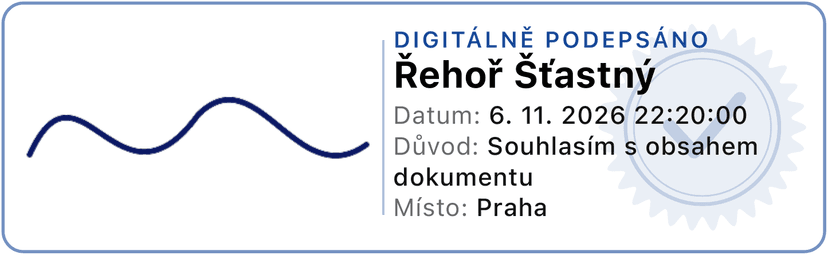
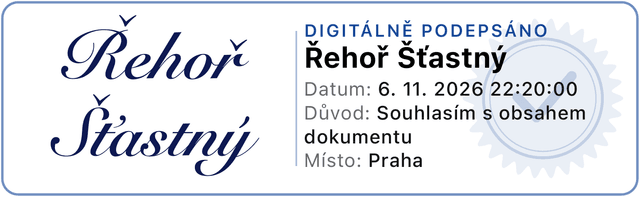
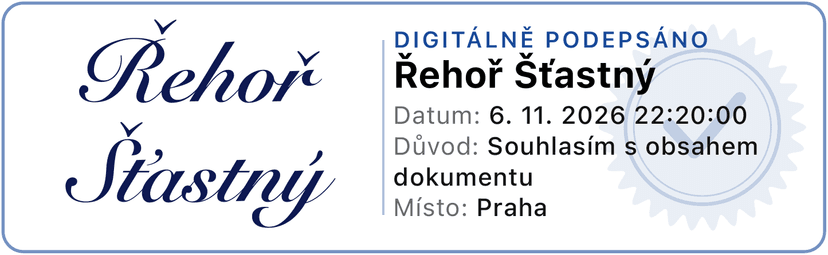
Click Sign, draw a box, pick your certificate. PAdES signatures that Acrobat Reader reports as valid, with your name in a handwriting font, your own signature image or a company seal.

2

Check signatures like a notary.

Open any signed PDF and see who signed, when, and whether anything changed since. Razítko verifies signers against the official EU Trusted List: 31 national lists, each checked for its own digital signature.

3

Qualified timestamps.

Add a qualified timestamp from PostSignum, I.CA or another provider, so your signatures stay verifiable long after your certificate expires.

4

A real PDF app.

Search, table of contents, thumbnails, page layouts, printing. Razítko remembers where you left every document, so it can replace Preview as your default PDF viewer.

5

Edit without breaking signatures.

Highlight, add notes and text, draw, fill forms, rotate, reorder or insert pages. Changes are appended to the file instead of rewriting it, so existing signatures stay valid.

6

Made for Czech paperwork.

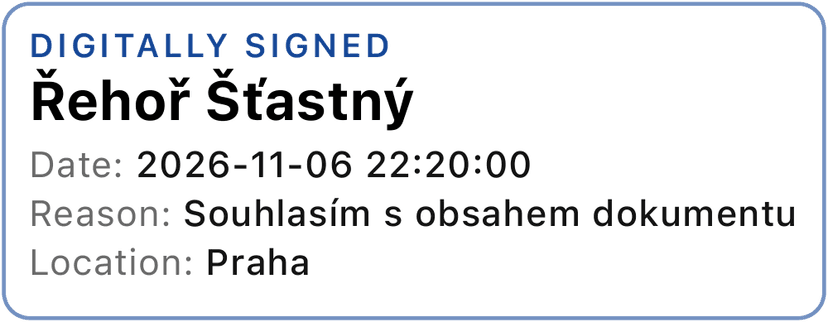
Diacritics that just work (Řehoř Šťastný signs correctly), Czech, Slovak, English, German and Polish signature texts, and presets for Czech timestamp services.

NEW IN 0.2 · AI AGENTS

Your AI assistant prepares the paperwork. Only you hold the stamp.

Razítko includes a local MCP server, so Claude and other AI agents can collect contracts from your email, fill in the details and queue them for your signature, then pick up the signed copies. They can't sign anything themselves.

Agent prepares→Signing Queue→You review & sign→Agent delivers
  • ✓
    Agents never sign. There is no signing tool. Every document waits until you click Sign, and macOS asks for your key as usual.
  • ✓
    Nothing slips through. If a file changes after it was queued, Razítko refuses to sign it.
  • ✓
    You set the limits. Off by default, only the folders you allow, every request and decision logged.
  • ✓
    Local only. The MCP server runs on your Mac. Documents never leave it.
You: Go through today's emails, save the supplier contracts into Contracts and queue them in Razítko for my signature.
Claude: Queued 3 contracts with notes. I'll send them back to the suppliers as soon as you've signed.
Signing Queue
Pending Signatures
2 documents ready for review
✓
SupplierContract_2024-11-15.pdfclaude
Checked terms, priced in CZK
Queued 2m ago · /Contracts
✓
NDA_Novanta_draft.pdfclaude-code
Standard confidentiality
Queued 2m ago · /Contracts
Select to sign individually or

Illustration of the Signing Queue (⇧⌘J)

The same signature. A different morning.

The usual ritual

  • ✕Wait for a heavy app to start
  • ✕What's new, sign in, try this, update now
  • ✕A subscription for a few seconds of signing
  • ✕Your documents near someone's cloud
  • ✕"Is this signature even valid?"

With Razítko

  • ✓Opens instantly, like Preview
  • ✓Nothing stands between you and the Sign button
  • ✓A focused tool that does one job well
  • ✓Documents and keys never leave your Mac
  • ✓Green, orange or red, checked against the EU Trusted List

UNDER THE HOOD

Boring standards, done carefully.

31
EU and EEA trusted lists, each one's XML signature verified
1,960
qualified certificate authorities recognised
0
bytes of your documents sent anywhere
8
days from first commit to "all signatures are valid"

Razítko is built on open standards, not on shortcuts. Signatures are PAdES (ETSI.CAdES.detached, SHA-256, signing-certificate-v2) with optional RFC 3161 timestamps (PAdES B-T). Every signature and every edit is written as an incremental update, so the original bytes are never touched. Each release is tested against three independent validators: Adobe Acrobat Reader, Poppler's pdfsig and pyHanko.

PAdESETSI.CAdES.detachedSHA-256RFC 3161EU Trusted ListPostSignumI.CA

Your signature, your way.

Handwriting style (default)
Your scanned signature
Clean text only
Clean text only

Frequently Asked Questions

Is a signature from Razítko legally valid?+

Razítko creates an advanced electronic signature based on your qualified certificate. In Czech law that is a uznávaný elektronický podpis, the type public authorities must accept. It is cryptographically the same signature Acrobat would make with the same certificate.

Which certificates work?+

Any certificate with its private key in your macOS Keychain, such as qualified certificates from PostSignum (Česká pošta), I.CA or eIdentita. Import your .pfx file once and you're set. Smart cards and eObčanka are on the roadmap.

Do I still need Acrobat?+

For signing, checking signatures, reading, annotating and form filling: no.

Does my document go to the cloud?+

No. Razítko works entirely on your Mac. It only goes online to download the official EU Trusted List and, if you enable it, to get a timestamp. For the timestamp it sends a hash of the signature, never the document.

Can I edit a document after signing it?+

Yes. Razítko appends your changes, so the original signature stays valid. The signature panel shows that the document was changed after signing, as Acrobat does.

Can an AI sign documents for me?+

No, and that's deliberate. AI agents can prepare documents and queue them, but the signature always needs your click in Razítko. A signature you're legally bound by has to stay under your sole control. It also protects you from prompt injection: a malicious email can't talk your assistant into signing anything.

Which AI agents work with Razítko?+

Any MCP client running on your Mac, for example Claude Desktop or Claude Code. Settings › AI Agents shows a ready-to-copy setup command. Agent access is off until you enable it and choose the folders agents may use.

Why "Razítko"?+

Because bez razítka nic. Without a stamp, nothing counts.

Tired of being asked before you can sign?

Razítko is in early access, open to everyone. Black Point clients get lifetime access for free. Tell us how you sign today and we'll get you set up.

Have a tool that annoys your whole team every day?

That's our kind of project.

Talk to Michał

Adobe and Acrobat are trademarks of Adobe Inc. Razítko is an independent product by Black Point DEV s.r.o. and is not affiliated with or endorsed by Adobe.